How to play
Your first day
LifeLong plays like a dollhouse with a clock. Here's how to get going, and the keys and buttons worth knowing.
-
Make yourself
Pick a name, a look (hair, beard, glasses, skin, and trousers, shorts, a skirt or a dress) and up to three traits: bookworm, active, romantic, hot-headed, goofball and more. Traits change what you enjoy, who you get on with and what you do when left alone. Then pick how fast your life moves.
-
Look after the needs
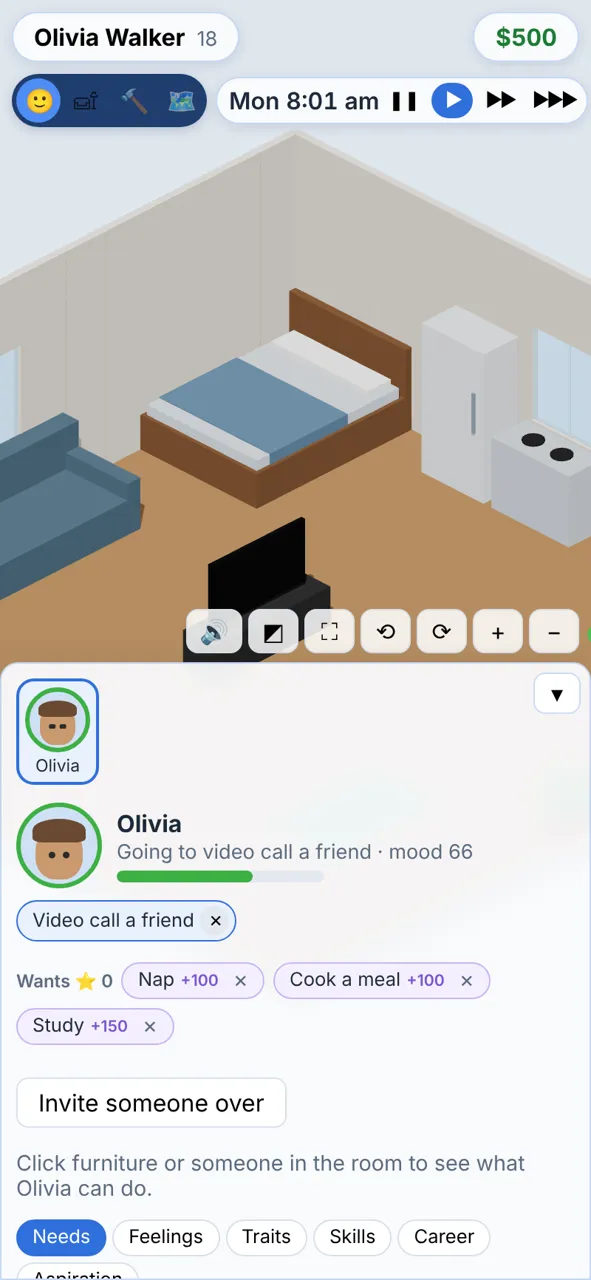
Hunger, Energy, Fun, Social, Hygiene and Bladder run down through the day. Green is good, red is trouble. Low needs bring bad moods, thought bubbles over heads and, if Bladder runs out, an embarrassing accident. Keep on top of the dishes, laundry and bin too, or hire a maid.
-
Tell people what to do
Click a person, or their portrait at the bottom, to pick them. Then click furniture or another person and choose from the menu round the pointer. Orders queue up as chips; tap ✕ to cancel one. Anyone you don't tell goes by their own free will.
-
Get a job and grow your skills
"Find a job" lists 26 careers, from retail to crime, plus part-time work. Each splits into two paths after level 3, and desk jobs can work from home. Go in in a good mood, in your uniform, and do the day's task to fill your performance bar for a promotion. For the office, kitchen, café, shop and clinic you can follow them to work and keep them busy there. Cooking, fitness, logic, charisma, painting and more grow by doing them, and some pay from level 3.
-
Build, buy and decorate
Switch to Buy or Build mode with the switch at the top; the game pauses while you work. Add stairs to build up to three storeys. A nicer home gives everyone a lift, and luxury pieces fill needs faster.
-
Go out and meet people
The 🗺️ map takes you to Riverside Park, Iron & Oak Gym, Willow Street Library, The Blue Note Lounge, Club Neon, Harbour Gallery, The Corner Bistro, Bayside Lido, Starlight Lanes, Willow Springs Spa, The Daily Grind Café, Driftwood Bay, Pine Lake Retreat and Frostpeak Mountain, or round to a friend's place. Book a holiday to a tropical island, the ski slopes or the jungle. Invite people over, throw a party, text someone, or answer the phone when a friend rings.
-
Answer the big decisions
University or a job? Move in together? A baby? Cards pop up through the day and pause the game. Each choice shows what it leads to and what it costs. At midnight the day ends and your life moves on. When it ends for good, carry on as your partner or a grown-up child.
Controls
Camera and clock
| Drag, or WASD / arrows | Slide the view |
| Mouse wheel, or pinch | Zoom |
| Right-drag, Q E, or twist two fingers | Turn the room |
| Right-drag up and down, R F, or three fingers | Tilt the camera |
| Pause, ▶, ▶▶, ▶▶▶ | Stop the clock or run it at three speeds |
| Walls button | Walls cut away, up, down, or up with the roof on |
| 👁 button | See through the picked person's eyes |
| ⛶ | Full screen |
Saving
It saves itself
There's no save button. Your life is kept as you play, down to the minute, and picks up where you left off. To play on another device, open the drawer under your name and save a passkey (Face ID, a fingerprint or your phone), then sign in with it on the other device. No password, no email. You can still use a one-off code from the same drawer instead.
Start your life ▸